“Cancelled” but Still Billed: A Subscription Cancellation Checklist That Holds Up in Disputes

A subscription dispute usually turns on proof, not frustration.
You can cancel a subscription, see a confirmation screen, and still get charged days or weeks later. Sometimes the company says the cancellation happened after the renewal date. Sometimes the app store, website, and payment processor each point to a different account. Sometimes support asks for proof you no longer have.
If you are still being billed after canceling, the goal is not to write the angriest support message. The goal is to build a simple record that shows what you canceled, when you canceled it, how you canceled it, and what happened after that.
Quick Answer
If a subscription was cancelled but you were still charged, collect the cancellation confirmation, billing receipt, renewal terms, account email, payment method, support messages, and a dated timeline before filing a dispute. Ask the merchant to reverse the charge first when possible, then contact your card issuer quickly if the merchant will not fix it. For credit cards, the CFPB says a written billing error notice must generally be sent within 60 calendar days after the charge appeared on your statement.
Table of Contents
Key Takeaways
- Save proof before you cancel when possible: plan page, renewal date, price, cancellation button, and final confirmation.
- Match the charge to the right account. Many failed disputes start because the customer canceled one account while another account or platform kept billing.
- Contact the merchant with a clear refund request before escalating, unless the charge is unauthorized or the merchant is unreachable.
- Keep a single timeline with dates, screenshots, emails, chat transcripts, and the exact amount charged.
- For card disputes, act quickly. Credit, debit, wallet, and app-store payments can follow different processes.
First Confirm What Was Actually Cancelled
A cancellation dispute gets weaker when the facts are fuzzy. Before you contact support or your card issuer, make sure the canceled subscription is the same subscription that produced the new charge.
This sounds obvious, but support forums are full of messy subscription cases: a user cancels in an app but subscribed on the website, cancels a free trial tied to one email but gets charged through another email, cancels a monthly plan but forgets an annual add-on, or removes a payment method without canceling the plan.
Start with these checks:
- Account email: Confirm the email address or username attached to the subscription.
- Billing platform: Check whether the charge came from the merchant, Apple, Google, PayPal, a card network token, or another payment processor.
- Plan type: Confirm whether you canceled the main plan, a trial, an add-on, a family plan, or a separate workspace.
- Renewal date: Compare the cancellation timestamp with the renewal or trial conversion deadline.
- Merchant descriptor: Copy the exact wording on your card statement. The billing name may not match the public product name.
If the issue is not a billing dispute but a subscription catalog or digital access problem, the evidence is different. For example, an ebook leaving a subscription catalog is not the same as being billed after canceling; IdarB covers that access issue separately in its guide to why ebooks disappear from subscription catalogs.
Build the Evidence Folder Before You Dispute
Dispute teams need a clean story. A folder of screenshots and emails beats a long paragraph that says the company is wrong.
Save these items in one folder, note, or PDF:
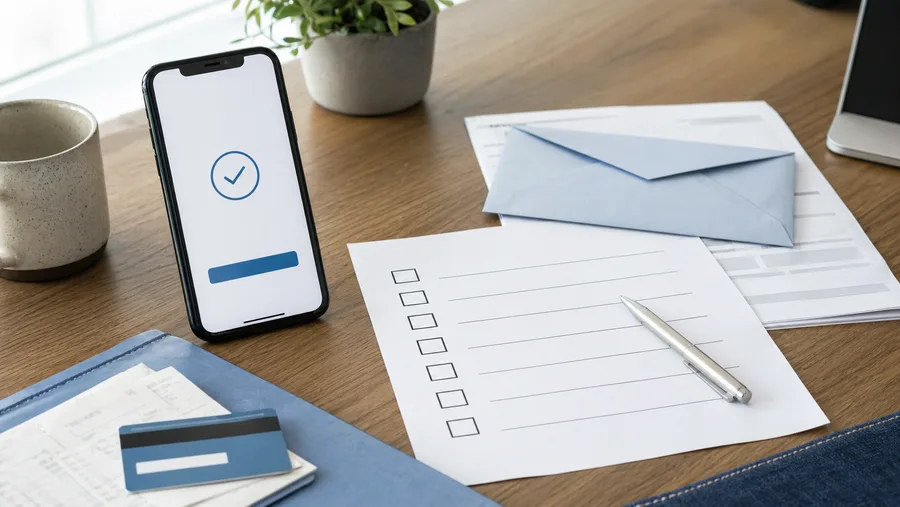
- Cancellation confirmation: Email, receipt, confirmation number, final screen, or account page showing cancellation.
- Charge proof: Statement screenshot with the merchant descriptor, amount, date, and last four digits of the card if visible.
- Plan terms: Trial length, renewal price, cancellation deadline, refund language, and any “cancel anytime” claim.
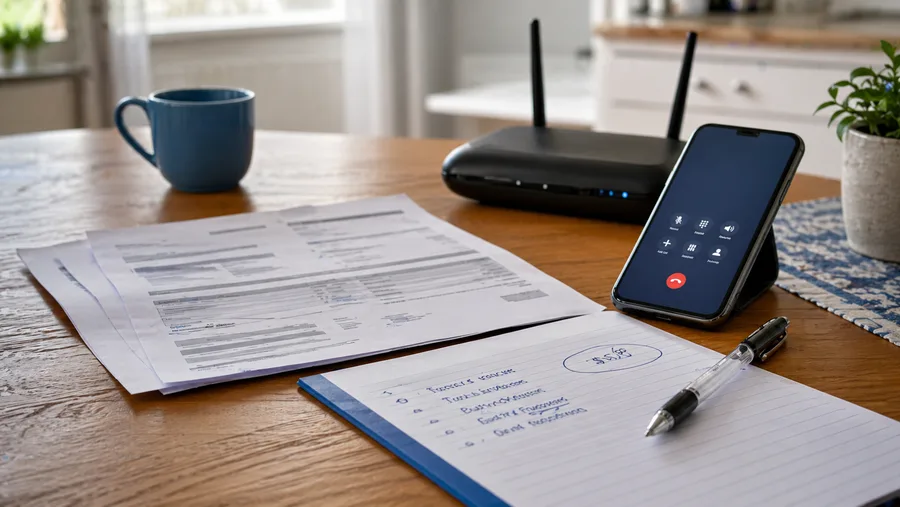
- Support thread: Chat transcript, email exchange, ticket number, or call notes.
- Usage proof: If relevant, show that you did not use the service after cancellation or that account access ended.
- Account proof: Email address, subscription ID, invoice ID, receipt number, or app-store order ID.
- Timeline: A short dated list of signup, cancellation, charge, support contact, and follow-up.
The FTC’s consumer advice on subscriptions tells consumers to keep a copy of the cancellation request and notes about cancellation conversations, then watch card statements after canceling. It also says to dispute charges with the card company if the business keeps charging after you told it to cancel. See the FTC’s subscription guidance here: Getting In and Out of Free Trials, Auto-Renewals, and Negative Option Subscriptions.
Use This Timeline Before Filing a Chargeback
A chargeback is easier to understand when it follows a timeline. Use this order unless the charge is clearly unauthorized, the merchant is fake, or the account has been compromised.
| Step | What to do | What to save |
|---|---|---|
| 1 | Confirm the charge and match it to the right account. | Statement line, receipt, account email, subscription ID. |
| 2 | Find the cancellation proof. | Confirmation email, screenshot, timestamp, ticket number. |
| 3 | Ask the merchant for a reversal or refund in writing. | Your message, the support reply, case number, promised date. |
| 4 | Give the merchant a short, reasonable deadline. | Follow-up date and any “refund pending” promise. |
| 5 | File a card dispute if the merchant refuses, ignores you, or keeps billing. | Evidence folder, timeline, amount, reason for dispute. |
For credit cards, act quickly. The CFPB says you should tell the card company about the problem right away and send a written billing error notice within 60 calendar days after the charge appeared on your statement. The CFPB also says to keep copies and write down follow-up call dates. Read the CFPB’s official guidance: How do I dispute a charge on my credit card bill?
What To Send the Merchant First
Keep the first message short. The support agent should be able to understand the issue without digging through a long story.
Use this structure:
- Subject: Refund request for charge after cancellation.
- Account: Name, email, subscription ID, or invoice number.
- Cancellation date: Include the date and method used.
- Charge: Include amount, date, and payment method.
- Request: Ask for a refund or reversal and written confirmation that billing has stopped.
- Attachments: Add the cancellation confirmation and statement line if safe to share.
Example:

I canceled this subscription on April 18, 2026, through the account page for [account email]. I was charged $[amount] on April 24, 2026, after cancellation. Please reverse this charge, confirm that the subscription is fully canceled, and send written confirmation that no future charges will be attempted. I have attached the cancellation confirmation and charge screenshot.
Do not send your full card number, banking password, one-time passcodes, or identity documents unless you are inside a legitimate secure support portal and the request is appropriate.
What Usually Weakens a Subscription Dispute
Some cases fail because the customer is wrong. Others fail because the evidence is not organized. Watch for these weak spots before you file.
- Only saying “I canceled” without proof: A screenshot or confirmation email matters more than memory.
- Confusing pause with cancel: Some subscriptions pause service but keep billing rules active.
- Canceling after renewal: If the cancellation happened after the renewal deadline, the merchant may argue the charge was valid.
- Removing a card instead of canceling: Payment removal does not always end the contract or subscription.
- Using the wrong platform: A subscription started through Apple, Google, Roku, PayPal, or a website may need to be canceled in that same billing channel.
- Filing before contacting support: For non-fraud cases, issuers often want to know whether you tried to resolve the issue with the merchant first.
The exception is unauthorized activity. If you never signed up, the account was compromised, or the merchant looks fake, contact your card issuer immediately and follow its fraud process.
A Simple Cancellation Log Template
Use a short log. The point is to make the dispute easy to review.
| Field | Example |
|---|---|
| Merchant name | Product name and statement descriptor |
| Account email | Email used for the subscription |
| Plan | Monthly, annual, trial, add-on, family plan |
| Cancellation date | Date, time, and timezone if visible |
| Cancellation method | Website, app, app store, PayPal, phone, email |
| Proof saved | Confirmation email, screenshot, support ticket |
| Charge disputed | Amount, date, card, invoice number |
| Merchant response | Refund approved, denied, ignored, pending |
If you manage several recurring payments, build this habit into a monthly review. IdarB’s Business & Finance section covers related consumer paperwork and billing topics, while the Lifestyle section is useful for subscription cleanup and everyday organization topics.
When To Escalate Beyond Merchant Support
Escalation makes sense when the merchant refuses to fix the charge, fails to answer, says the account is canceled but keeps billing, or asks for unreasonable steps just to stop the subscription.
Your next option depends on how you paid:
- Credit card: Contact the issuer and follow the billing dispute process. Send written notice when required.
- Debit card: Act quickly, but know that legal protections can differ from credit cards. Your bank may still offer voluntary protections.
- App store billing: Check Apple, Google, or the platform that processed the charge before assuming the merchant can refund directly.
- PayPal or wallet: Use the platform’s resolution process and include the same evidence folder.
- Repeated or deceptive billing: Consider filing a complaint with the FTC, your state attorney general, or the relevant consumer agency.
The FTC provides a sample letter for disputing credit and debit card charges and notes that credit card protections are generally stronger than debit card protections. Use the sample as a structure, then attach your subscription-specific proof: Sample Letter for Disputing Credit and Debit Card Charges.
This article is general consumer information, not legal, tax, or financial advice. Dispute rights vary by payment method, issuer, country, state, and facts.
Frequently Asked Questions
What proof do I need if a cancelled subscription is still charged?
The strongest proof is a cancellation confirmation, the charge screenshot, the account email, the plan terms, and a dated support trail. If you do not have a confirmation email, use screenshots of the account status, app-store subscription page, chat transcript, or any support ticket showing that cancellation was requested.
Should I contact the merchant before filing a chargeback?
For ordinary billing errors, yes. Ask the merchant for a refund or reversal in writing and save the response. If the charge is unauthorized, the account was hacked, or the merchant appears fraudulent, contact your card issuer immediately and follow its fraud process.
Does deleting an app cancel the subscription?
No. Deleting an app usually removes the app from your device, but it does not automatically cancel billing. Check the subscription area for the app store, website, PayPal account, or payment platform that originally handled the subscription.
Can a subscription charge go through after I replace my card?
Yes, some recurring payments can continue after a card replacement because card issuers and payment networks may update saved payment credentials for merchants. If the subscription should be canceled, focus on canceling the plan and disputing improper charges, not only replacing the card.
How long should I keep subscription cancellation records?
Keep cancellation records at least until the next billing cycle passes without a charge. For expensive annual plans, keep the confirmation, receipt, and support messages for several months because renewal disputes can surface later.
The Bottom Line
A “cancelled but still billed” subscription dispute is easier to handle when you can show the timeline. Save the cancellation proof, match the charge to the correct account and billing platform, ask the merchant for a written fix, and escalate quickly if the charge is not reversed.
The best checklist is simple: confirmation, charge, terms, account, support trail, and timeline. If you can put those six pieces in front of a support agent or card issuer, your dispute is much clearer than a complaint with no paper trail.